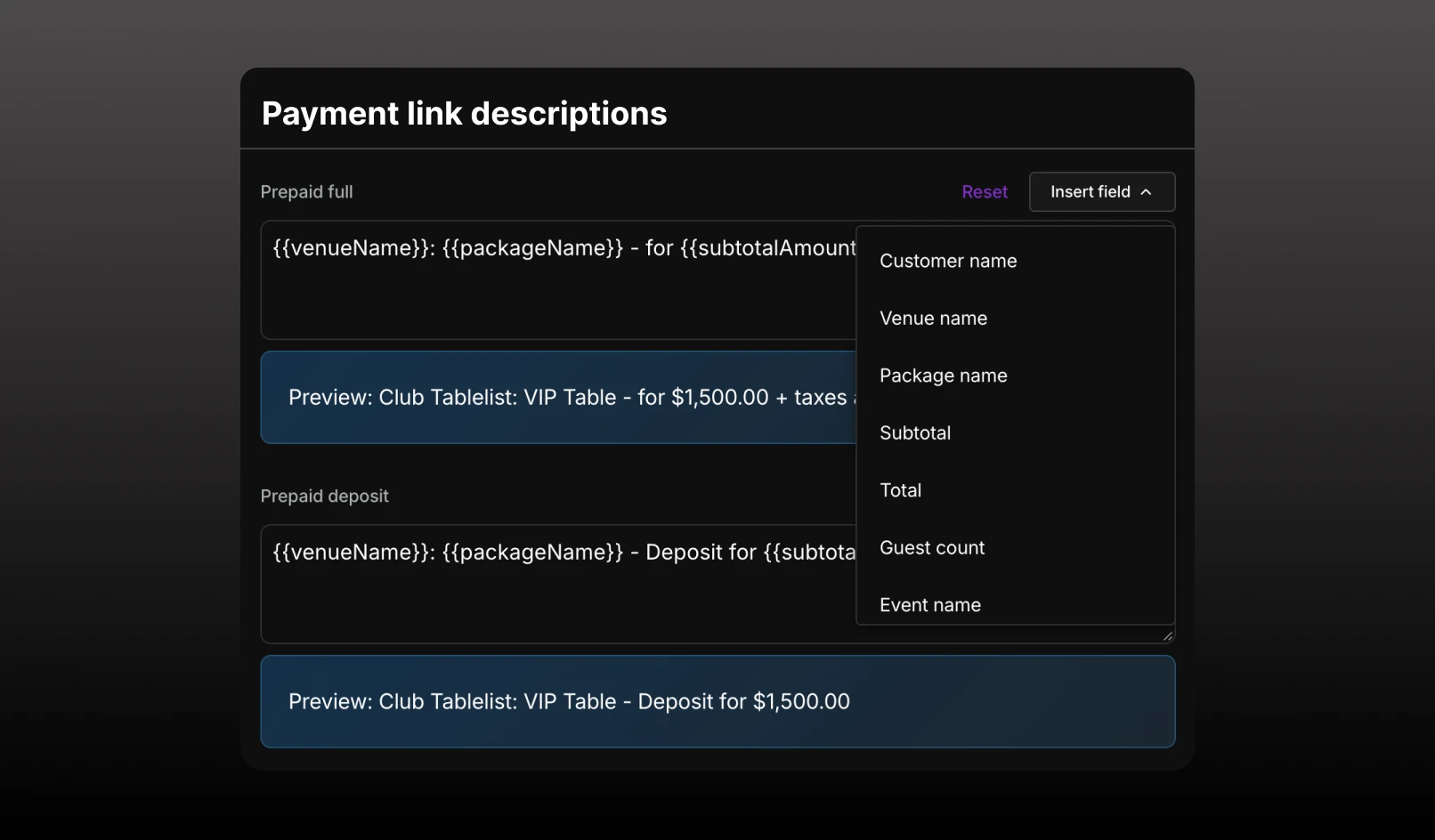
Venues can now set a default payment link name and description for each payment type, with personalization fields that fill in from the reservation.
Set the wording that new payment links start with, on web and mobile (Android only, iOS coming soon).
- Settings → Payment settings → Payment link descriptions (mobile: Settings → Payment Settings → Payment Link Descriptions).
- Payment link name is one template for every new link.
- Descriptions are separate for Reservations (Prepaid full, Prepaid deposit, Authorization) and Admissions (Prepaid full).
- Insert field adds a personalization token at the cursor. Available fields: customer name, venue name, package name, subtotal, total, guest count, event name, event date, arrival time, minimum spend, and table number.
- Preview fills the template with sample data as you type. Reset restores TablelistPro's built-in line for that field.
- On a new payment link, Name and Description (web) or Message (mobile) start from those templates and fill in from the reservation. The description keeps updating as payment type, amount, tax, service charge, or fees change, until you edit the field yourself.
- Balance Due keeps its own line (
remaining balance of $X) and does not use these templates.
Learn more