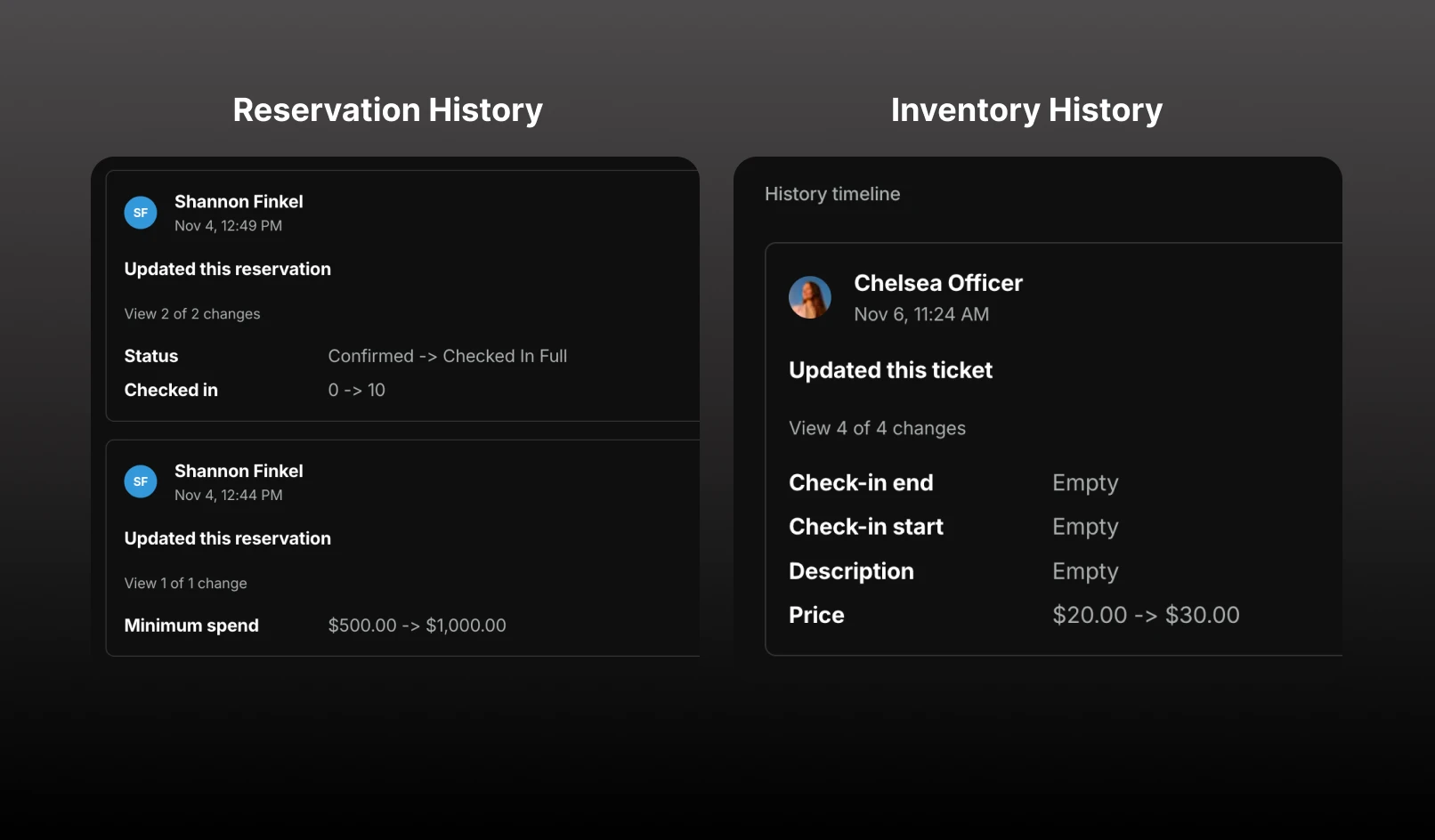
Reservation history
Open a reservation and check History on web, or View history on mobile, to see a newest-first timeline of the booking.
- Each entry shows who made the change, when, and a plain title such as Created this reservation, Updated this reservation, or Cancelled this reservation.
- Expand an entry to see the fields that changed, with the old value and the new value. The first six changes are shown first.
- Cancellations are called out on their own, including the cancel reason and whether a refund was issued.
- Confirmation emails and texts show as their own entries, such as Sent email to guest@example.com or Resent sms to +15555550000.
- Refunds show the amount. When processing fees are kept, the entry notes that those fees are not refunded.
- Guest actions, such as a checkout, show the guest’s name when it is available.
Inventory history
Editing a package, ticket, or cover now has a History tab on web. On mobile, open View history from the item menu.
- The timeline uses the same layout as reservations: who, when, and a title such as Created this ticket, Updated this cover, or Deleted this package.
- Expand an entry to see before-and-after values for the fields that matter, including name, on sale, price, quantity, deposit, payment type, guests, fees, tax, tip, section, arrival and selling windows, recurring schedule, and tiered pricing.